
The software to see and control your logistics
ZENVU Portal for you, ZENVU WMS for our warehouse and ZENVU Connect for your integrations. One system: what happens in the warehouse shows in your portal right away.
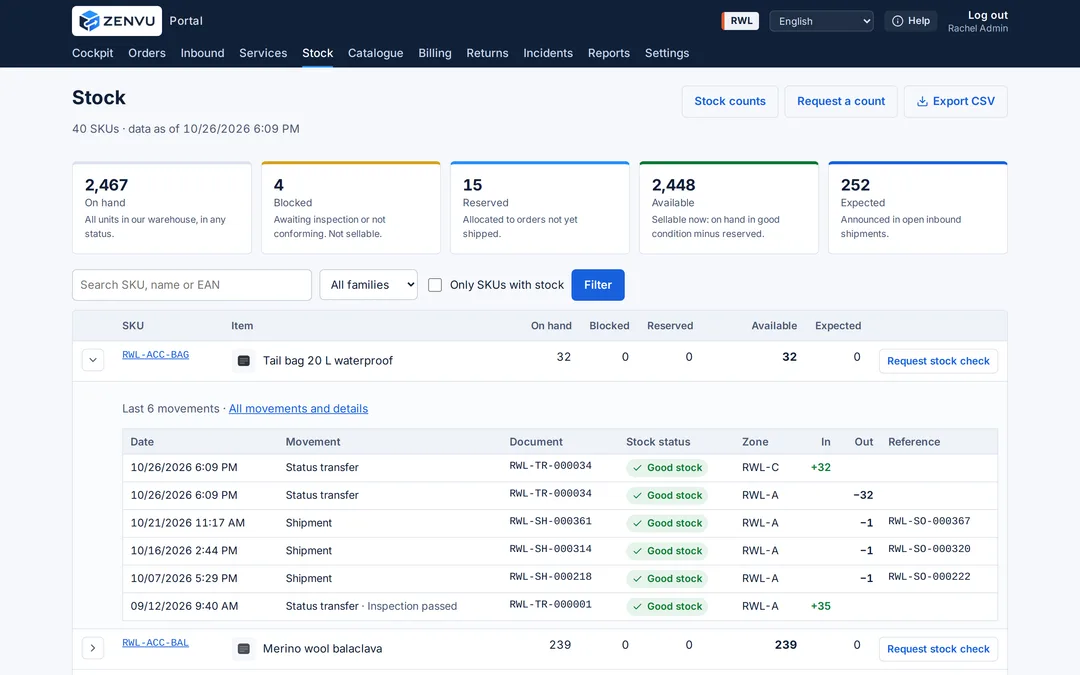
Three parts, one system
ZENVU Portal
For your team
- Stock by SKU, size, colour and status
- Orders with status and history
- Advance shipping notices
- Returns with inspection photos
- Itemised invoices and reports
- In Spanish, English, Japanese and Chinese
ZENVU WMS
For our warehouse
- Pallet, shelf and bin locations
- Picking guided by reference
- Packing rules per client
- Rules per product type
- Every movement logged
- Cycle counts and stocktakes
ZENVU Connect
For your systems
- Shopify and WooCommerce
- Shipping with your Sendcloud
- API for orders, stock and products
- Statuses and tracking sent back
- Buyer returns portal
- Activity reports
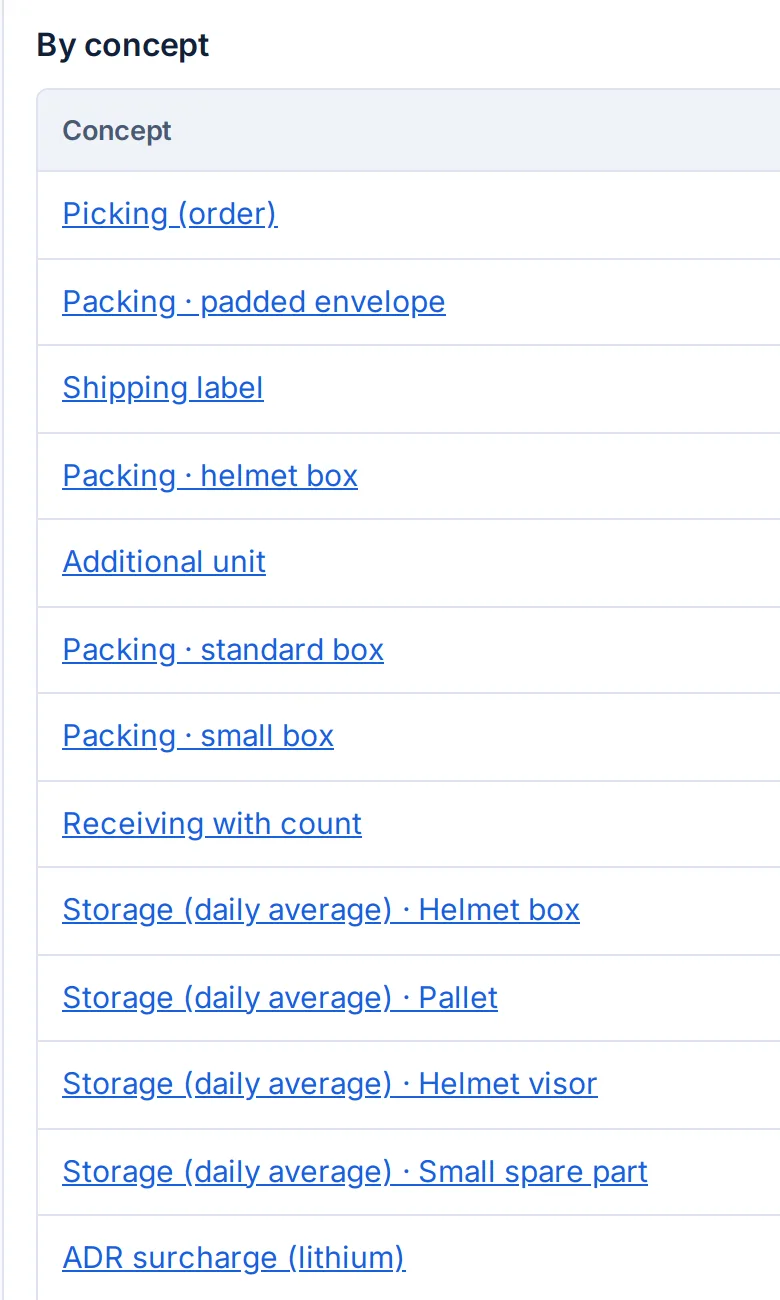
Your invoice, charge by charge
Every item with its date, quantity and rate, linked to the order, inbound or return that generated it. No unexplained lines.
- Events recorded on scan: receiving, picking, unit, box, return.
- Storage calculated on average daily occupancy, not a month-end snapshot.
- Each line linked to its order, inbound or return.
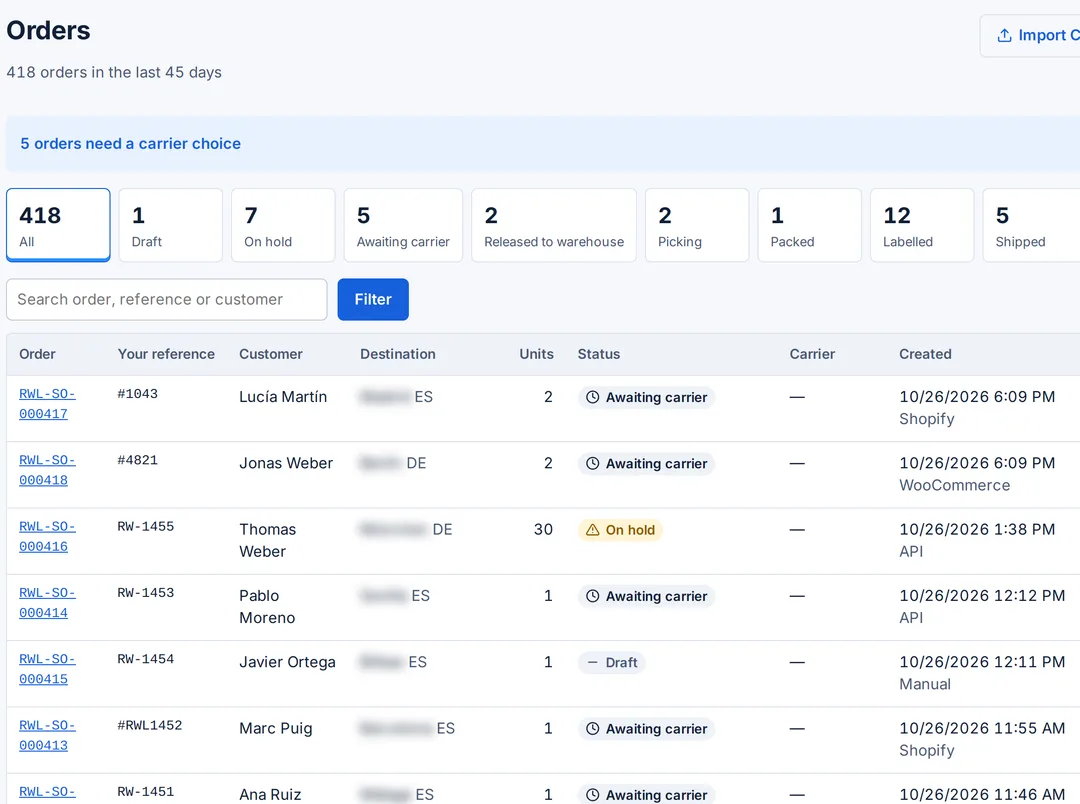
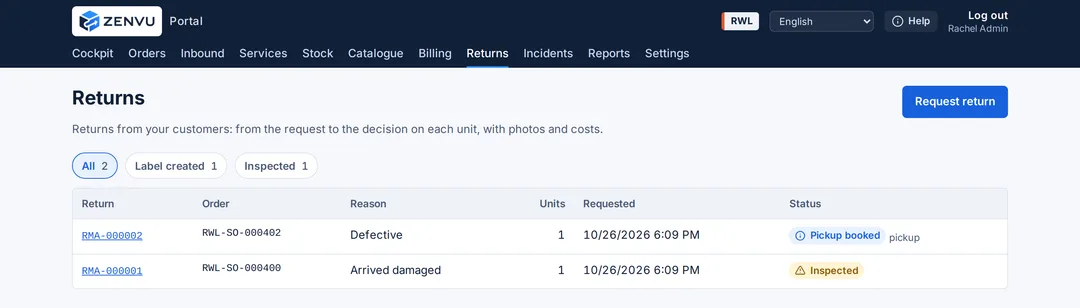
Orders and returns, each with its status
You know where every order and every return stands without asking the warehouse.
- Orders by status, from draft to delivered, with their sales channel.
- Returns with their reason, units and status.
- Inspection photos and a decision on every returned unit.
Integrations
Connect your store and shipping without custom development.
Shopify
Automatic orders, synchronised stock and tracking numbers back in your store.
WooCommerce
The same connection for WordPress stores.
Sendcloud
Use your own account: your rates, your carriers, your shipping rules.
ZENVU Connect API
For ERPs, marketplaces, B2B stores or custom builds: products, orders, stock and statuses.
You may also need
Frequently asked questions
What is the difference between the Portal and the WMS?
The WMS is the system our warehouse team works with: locations, picking, packing and movements. The Portal is your window into that same system: you see data as soon as the warehouse records it.
What can I do with the ZENVU Connect API?
Create and query orders, set up products, check stock and receive statuses and tracking numbers. Use it to connect an ERP, a marketplace or a B2B store that is not Shopify or WooCommerce.
Which languages is the portal in?
Spanish, English, Japanese and Chinese. Each user chooses their own.
Can I see the portal before deciding?
Yes. We show you ZENVU in a 30-minute meeting with your catalogue. Book a demo.
Request a tailored proposal
Tell us about your products, volumes and channels. We prepare a documented proposal, with every item explained, before you sign.
Fill in your details for a tailored offerPrefer to talk? Write to us